
Recent
The last five tools you opened, newest first, on the dashboard. Opening a tool from a tile or from the command bar puts it at the front. The row is left out until you have opened something.
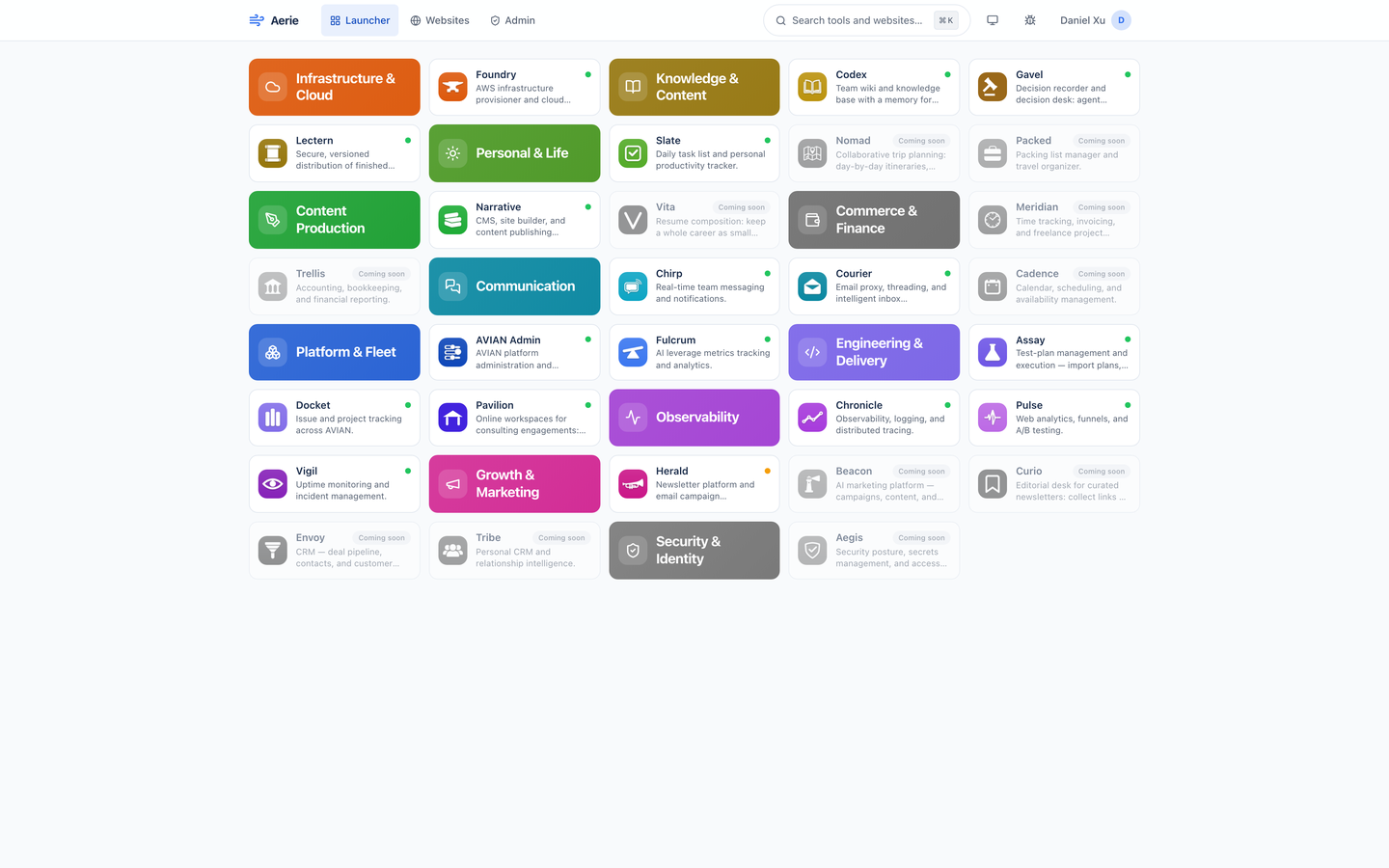
Aerie is where a Renkara person starts the day: the tools you opened last, the work assigned to you, and every tool in the fleet on one screen, each with a health dot.
Aerie is three things: a dashboard and launcher for each person, an admin screen for the people who decide what each person sees, and a set of agent tools that read and change the same records. Everything below is built today; what is not is in the Coming list at the bottom.
The last five tools you opened, newest first, on the dashboard. Opening a tool from a tile or from the command bar puts it at the front. The row is left out until you have opened something.
Documents assigned to you in Lectern, cards in Docket, and tasks in Slate, each linking into its tool. Each card shows the top ten, critical and high priority and overdue work first, and a Show all control for the rest.
The launcher groups tools under eleven category tiles in each category's own color, alphabetical inside a category, with coming-soon tools last and grayed out. It is laid out to fit one screen.
A live tile carries a dot: healthy, degraded, unreachable, or not monitored, read from Vigil in one request that is cached for a minute however many tiles you have. If Vigil cannot be reached, the last answer stays up marked stale.
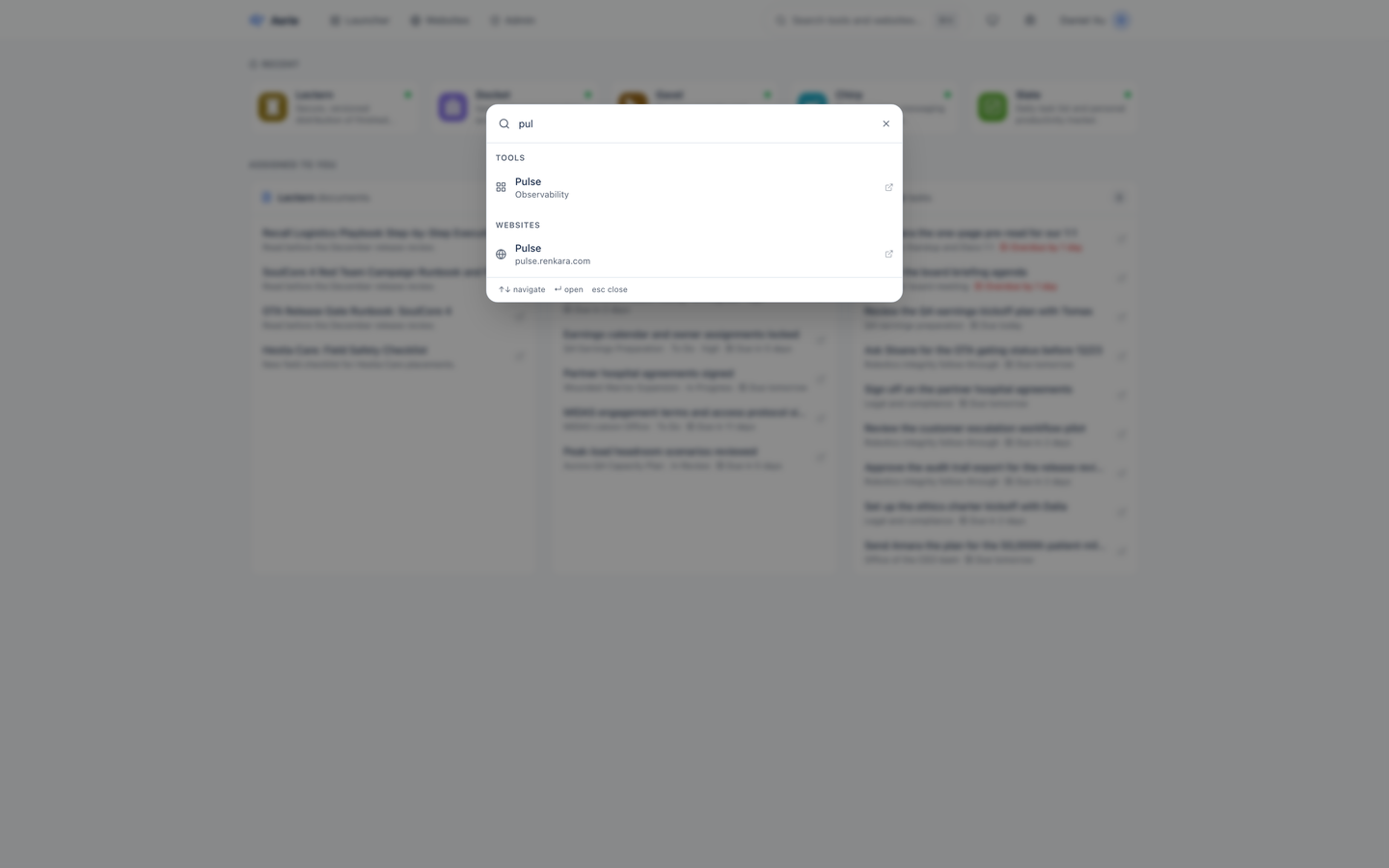
Cmd+K or Ctrl+K from any page. Type a name, arrow to a tool or a website, press Enter, and it opens in a new tab. Name matches rank above description matches, and coming-soon tools are not offered.
Every Renkara website as a card with Production and Staging buttons, grouped into a tab each, with an All tab first. Your last tab is remembered, and each card's preview follows light or dark mode.
A person with no grants sees an empty launcher. There is no stored "none"; the absence of a grant is the answer, so a revoked tool and a never-granted tool look the same.
On the Access Management screen each person opens into a panel with a switch for every tool, grouped by category. A switch takes effect immediately.
One button sets every tool for a person at once. The batch is applied as one change, and the person gets a single email, not one per tool.
An admin adds a person by email, and Aerie asks the fleet's sign-in service to send them an invitation. They show as Pending sign-in until their first visit, when they take over that row with every grant already made.
A new grant or a revoke sends the person a note listing the tools, with each tool's icon and a button to open the launcher. Changing nothing sends nothing, and a failed email never blocks the admin's change.
A person is an admin if their token says so, if their email is on the bootstrap list, or if another admin switched it on. Admins see the Admin tab; everyone else is sent back to the dashboard.
Every request carries a renkara-auth token that Aerie verifies against the issuer's published keys, refetched every five minutes so a key rotation is picked up quickly. A person is mirrored into Aerie on their first request.
Tools, categories, status, and websites live in a single JSON document. An operator publishes it, the running backend notices within a minute, and no redeploy is needed. A bad document is ignored and the last good one keeps serving.
19 tools over MCP list the fleet, read a person's grants, grant and revoke access, add and remove people, toggle admin, read health, and list websites, behind a service token or an admin sign-in.
A theme button cycles through the three, tool icons come in a light and a dark version, and the header folds its labels and buttons into the user menu on a phone.
Real captures of the running tool, with fictional StrataForge Robotics data. They follow your theme.
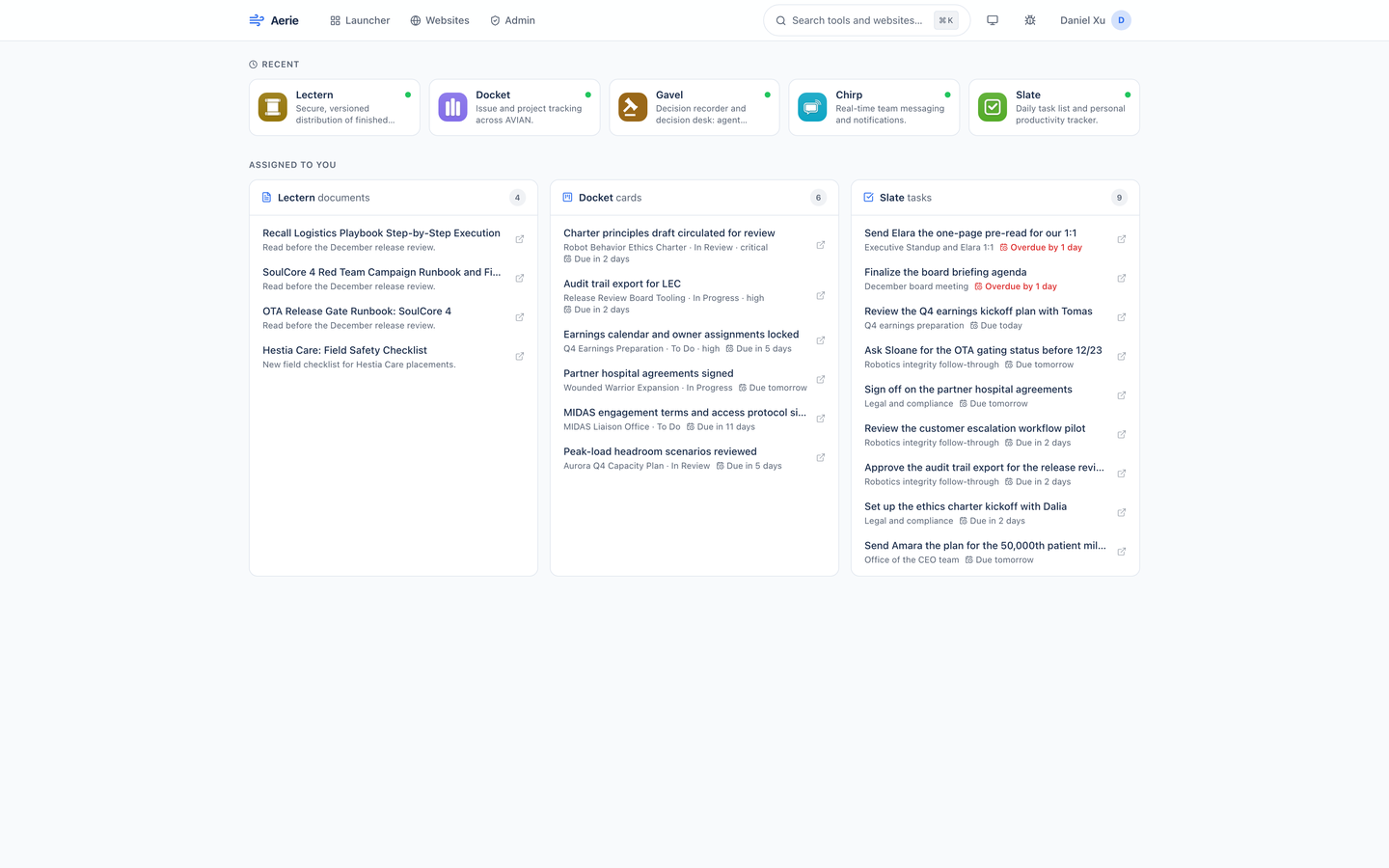
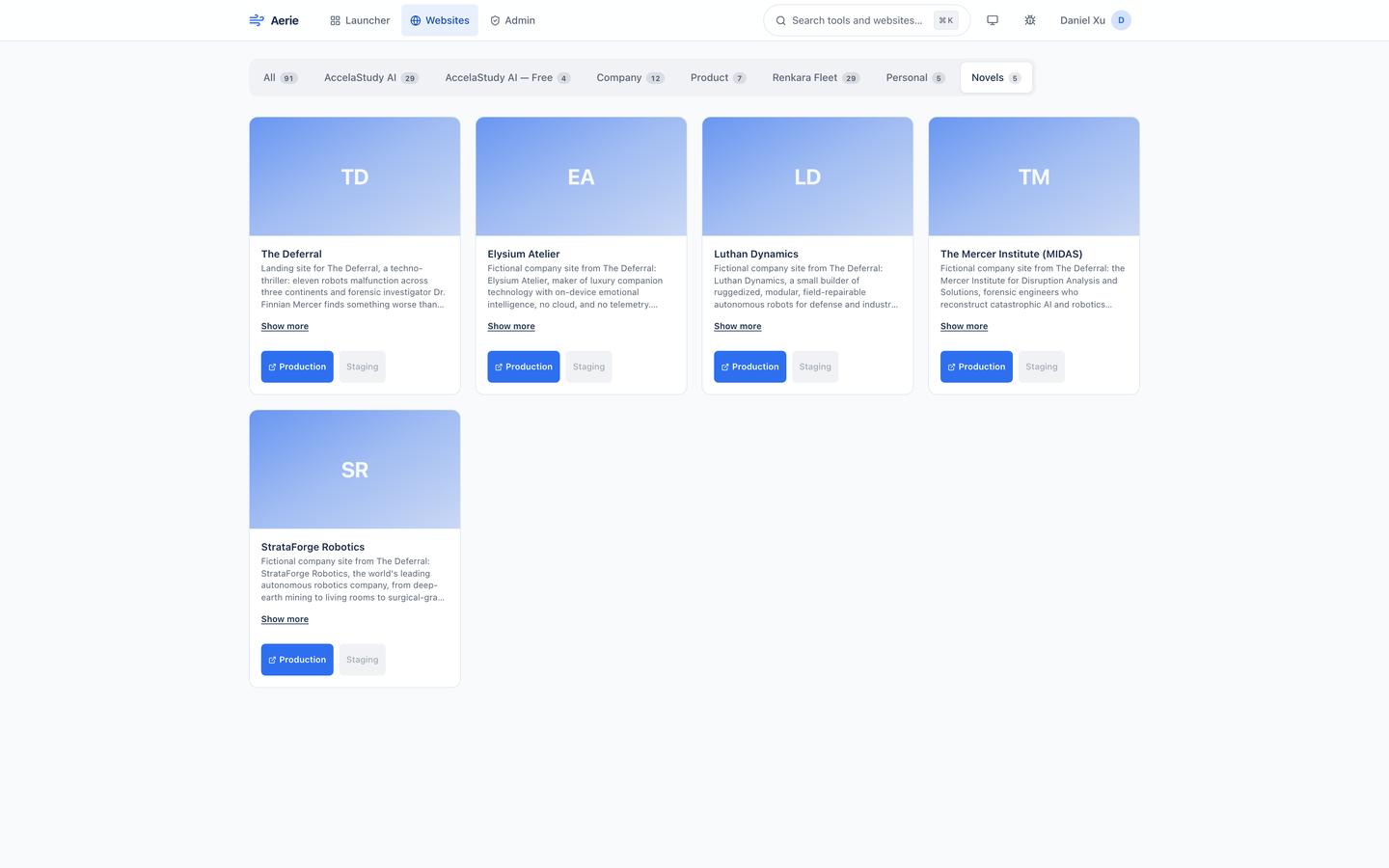
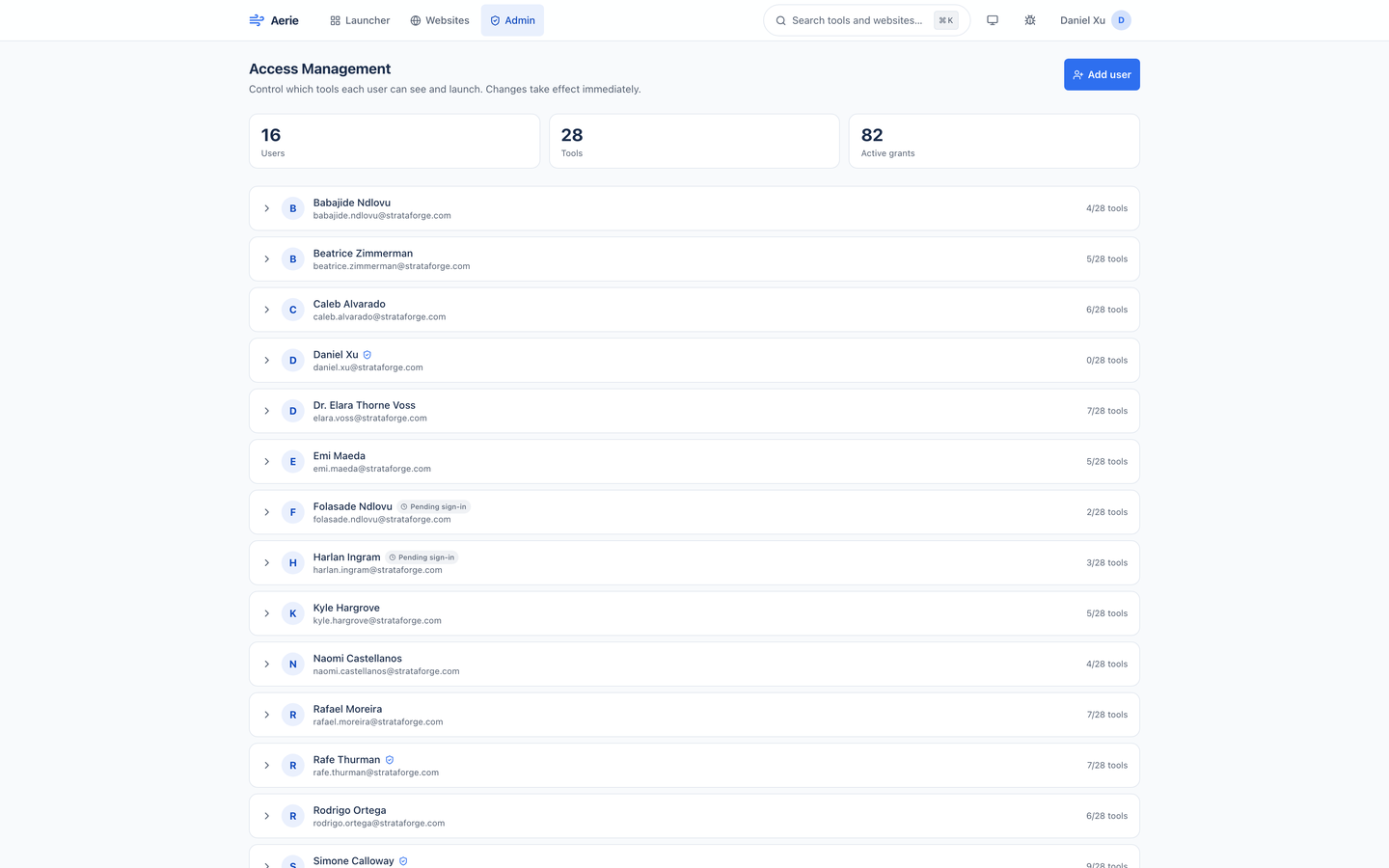
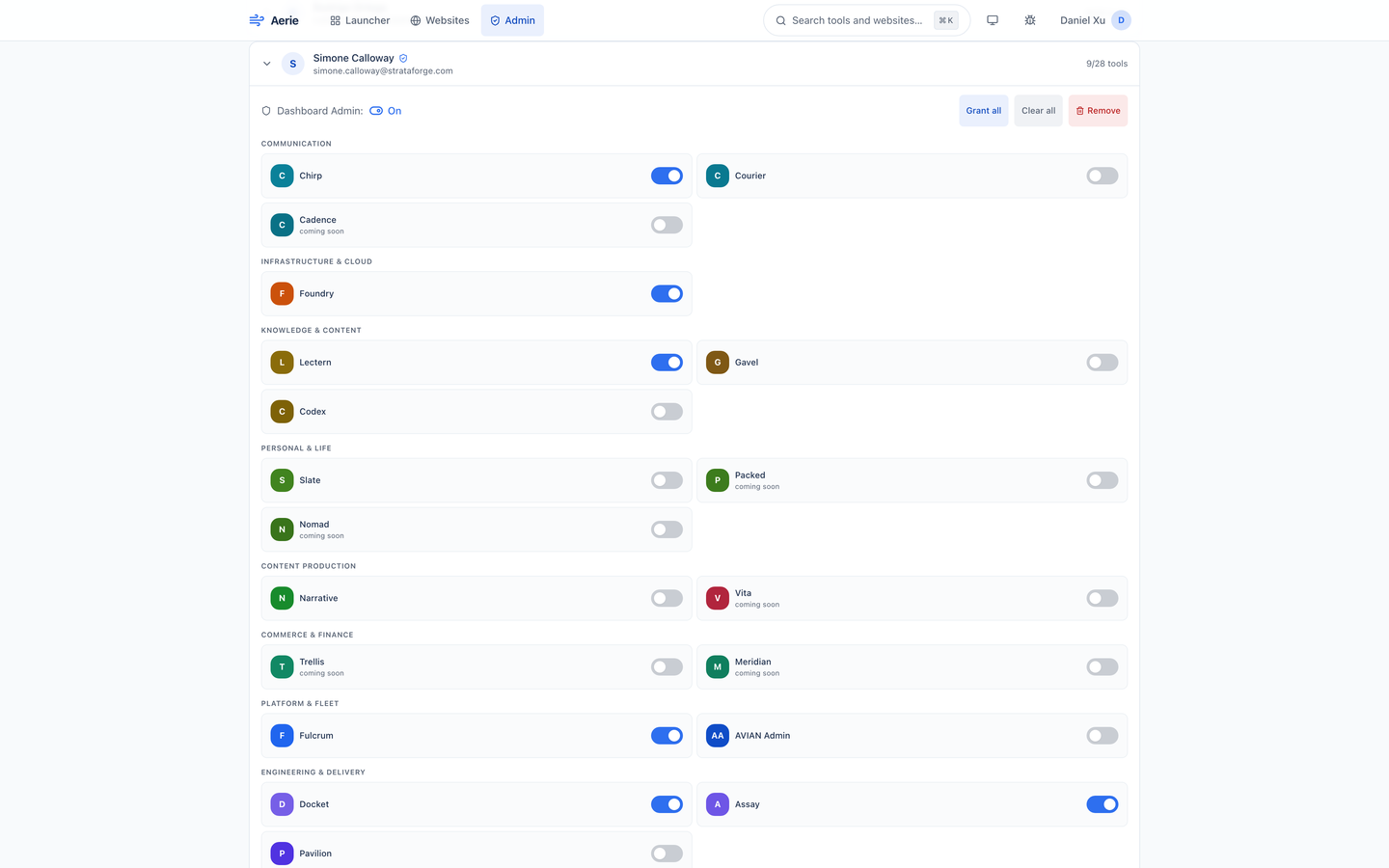
The fleet's sign-in service issues a token. Aerie checks it and, on the first request, records who you are.
The launcher asks for the tools you hold a grant for, and Vigil for each one's health. Admins see every tool.
The dashboard asks Lectern, Docket, and Slate for what is assigned to your email, in parallel. A slow or down tool shows its own error and the others still load.
A tile opens its tool in a new tab and is recorded in your Recent row. Admins change who sees what from the Access Management screen.
Aerie is a web app, and this is what its code, its tests, and an axe-core scan run for this site show today. It has a skip link, landmarks, a first-level heading on every page, controls named by their visible text, a command bar that works from the keyboard, and no horizontal overflow at 375 pixels. The same axe-core run in a real browser on 12 captured states finds no violations. It has not been tested with a screen reader or on a real phone. We do not claim a conformance level.
Partly supported
A scripted walk with only the keyboard reaches "Skip to main content" first, then the brand link, Launcher, Websites, Admin, the search button, the theme button, and the bug button. Enter on the search button opens the command bar with focus in its field, the arrow keys move through results, Enter opens one, and Escape closes the bar. Cmd+K and Ctrl+K open it from any page. A tool tile is a button, so Enter opens it. Nobody has walked the Admin and Websites screens by keyboard alone.
Partly supported
The page has landmarks and a hidden first-level heading on every route, controls are named by their visible text, the command bar is a labeled dialog with a combobox and a listbox of grouped options, health dots carry a text label, and a coming-soon tile is marked aria-disabled and says so. axe-core finds no violation on the captured states. Aerie has not been tested with VoiceOver, NVDA, or JAWS.
Partly supported
axe-core's color-contrast rule passes on all 12 captured states. Its first pass found 28 elements below 4.5 to 1 (the active navigation link at 3.95, white text on the lifted dark-mode accent at 2.24, overdue dates at 3.76, the Remove button's red, and a count badge at 4.49), all since corrected. Axe checks the text it can compute; it does not judge images, gradients, or the website cards' hero art.
Partly supported
The design system's global stylesheet shortens animations and transitions to almost nothing when the system asks for reduced motion. Tiles and panels also animate with an animation library on their own, and nobody has confirmed in a browser with the setting on that those stop.
Not yet tested
Nobody has tested Aerie at larger text sizes or browser zoom. Tile descriptions are clipped to two lines and several labels are set in 10 to 12 pixel type, so large text may crowd them.
Partly supported
At 375 by 667 pixels the Dashboard, Launcher, Websites, and Admin pages, and four more states (a person expanded in Admin, the user menu, the command bar with results, and the focused skip link), show no horizontal scrolling of the page. The header folds its labels away and moves the theme and bug buttons into the user menu, and the website tabs scroll sideways inside their own row. The same scripted check counted 0 controls under 44 pixels in all eight states (earlier runs counted 6 in the header and menus and 230 on the Websites cards; the Aerie repo has since made every control at least 44 by 44 pixels at phone width). It ran in one automated browser at one phone size, so this is not a test on a real phone.
| Backend |
|
|---|---|
| Frontend |
|
| Access model |
|
| Sign-in chain |
|
| Registry and health |
|
| Quality |
|
| Stands in for | A bookmarks page of internal tools, Okta's end-user dashboard, for the tile launcher only |
Aerie ships an MCP server so a coding or planning agent can manage who sees which tools: ask what a person can open, grant or revoke a tool, add someone before their first sign-in, or read the fleet's health.
list_fleet_toolsget_toollist_registry_toolslist_websiteslist_visible_toolsget_user_grantslist_dashboard_usersget_userget_user_by_emailcreate_userdelete_userset_user_admingrant_tool_accessrevoke_tool_accessbulk_grant_tool_accessget_grant_matrixget_fleet_healthget_tool_healthget_diagnosticsNo. Aerie decides which tiles a person sees and can click. It does not enforce access inside a tool, and each tool still admits any signed-in Renkara account. Treat it as a tidy front door, not a lock.
Nothing else breaks. If Vigil cannot be reached, the tiles keep the last health they had and are marked stale, or show not monitored if there never was one. On the dashboard, Lectern, Docket, and Slate each load on their own, and a source that fails shows its own short error on its card.
StrataForge Robotics, the fictional company from the novel The Deferral. The people, their grants, their recent tools, and the work assigned to them come from a shared fictional dataset, and the Lectern, Docket, Slate, and Vigil answers were served from a stand-in on the capture machine, never from the real tools. The tool and website names are Renkara's own public product names, which is what Aerie's registry lists.
Aerie runs in production for Renkara's own fleet, and this site is a preview of what it does. To ask about access, write to contact@renkara.com.
No. Nothing in the backend or the dashboard calls a language model. The agent tools let your own agent read and change the same records.
Write to Renkara Media Group and a person will answer.