
Where the day starts, and what is waiting.
Aerie has two front pages. The dashboard is yours: the tools you opened last and the work other people and other tools have put on your plate. The launcher is everyone's: the whole fleet, grouped, with a dot that says whether each tool is up. Press Cmd+K from either and type.

The dashboard
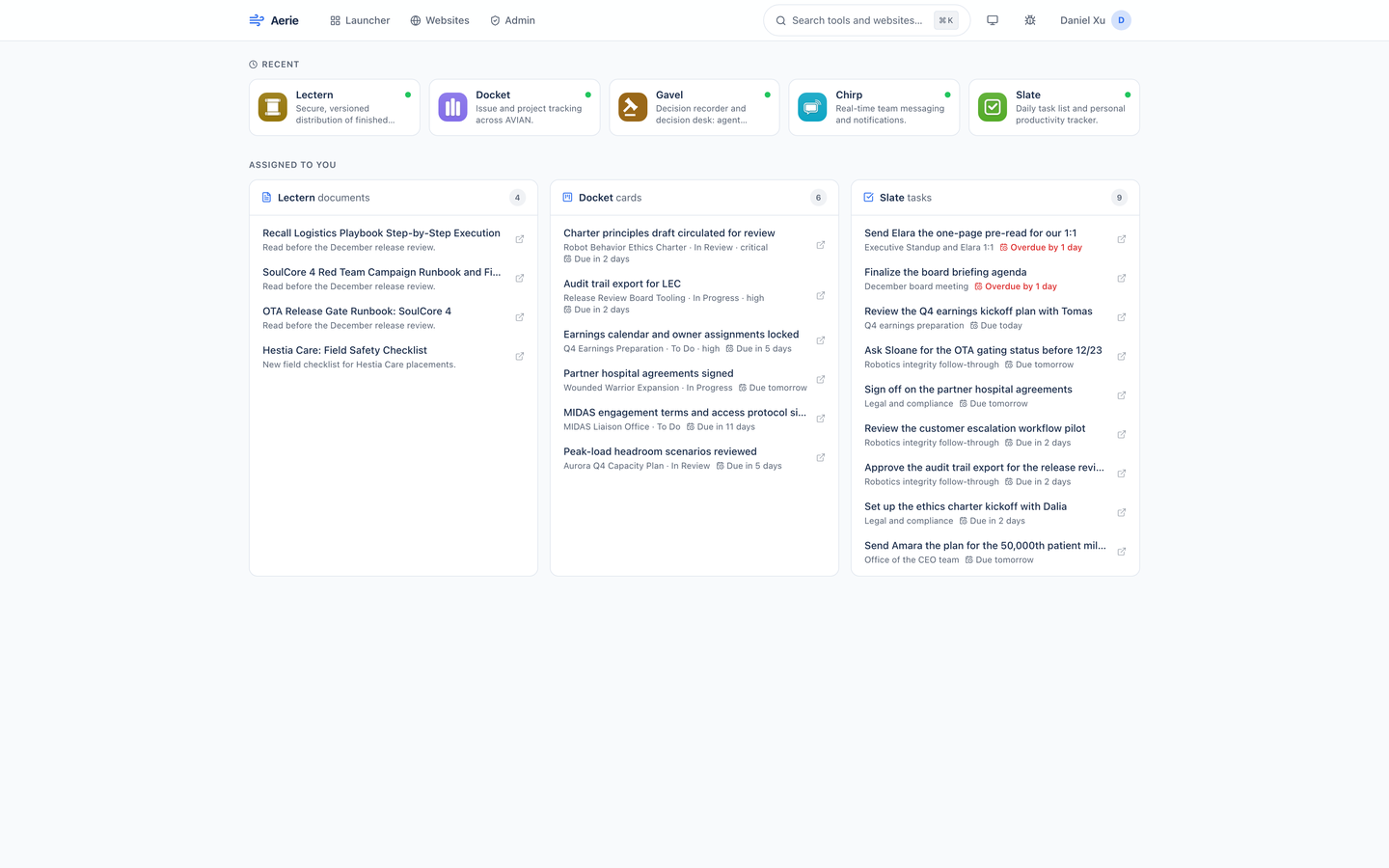
Recent on top, Assigned to you underneath.
Recent is a row of up to five tools, the ones you opened last, newest first. It stays current as you work: open a tool from a tile or from the command bar and it moves to the front. Until you have opened something, the row is not there.
Assigned to you is one card each for Lectern documents, Docket cards, and Slate tasks. Aerie asks the three tools for what is assigned to your email, all at once, and shows the top ten on each card with a count; Show all lists the rest. Critical and high priority work and anything overdue comes first, and each item links straight into its tool.
The three sources are independent. If one tool is slow or down, its card says why in a few words (not configured, timed out, an HTTP status, or unreachable) and the other two still load. Answers are kept for 30 seconds per person, so reloading the page does not ask three tools again.
| Lectern documents | Reading assigned to you that is not yet marked complete, with the note the assigner left. The link opens the document. |
|---|---|
| Docket cards | Open cards assigned to you, with their board and column. Critical and high priority show as a tag; the link opens the card on its board. |
| Slate tasks | Your open tasks due Today or Upcoming, with the list each sits in. The link opens the task in its list. |
Every tool on one screen
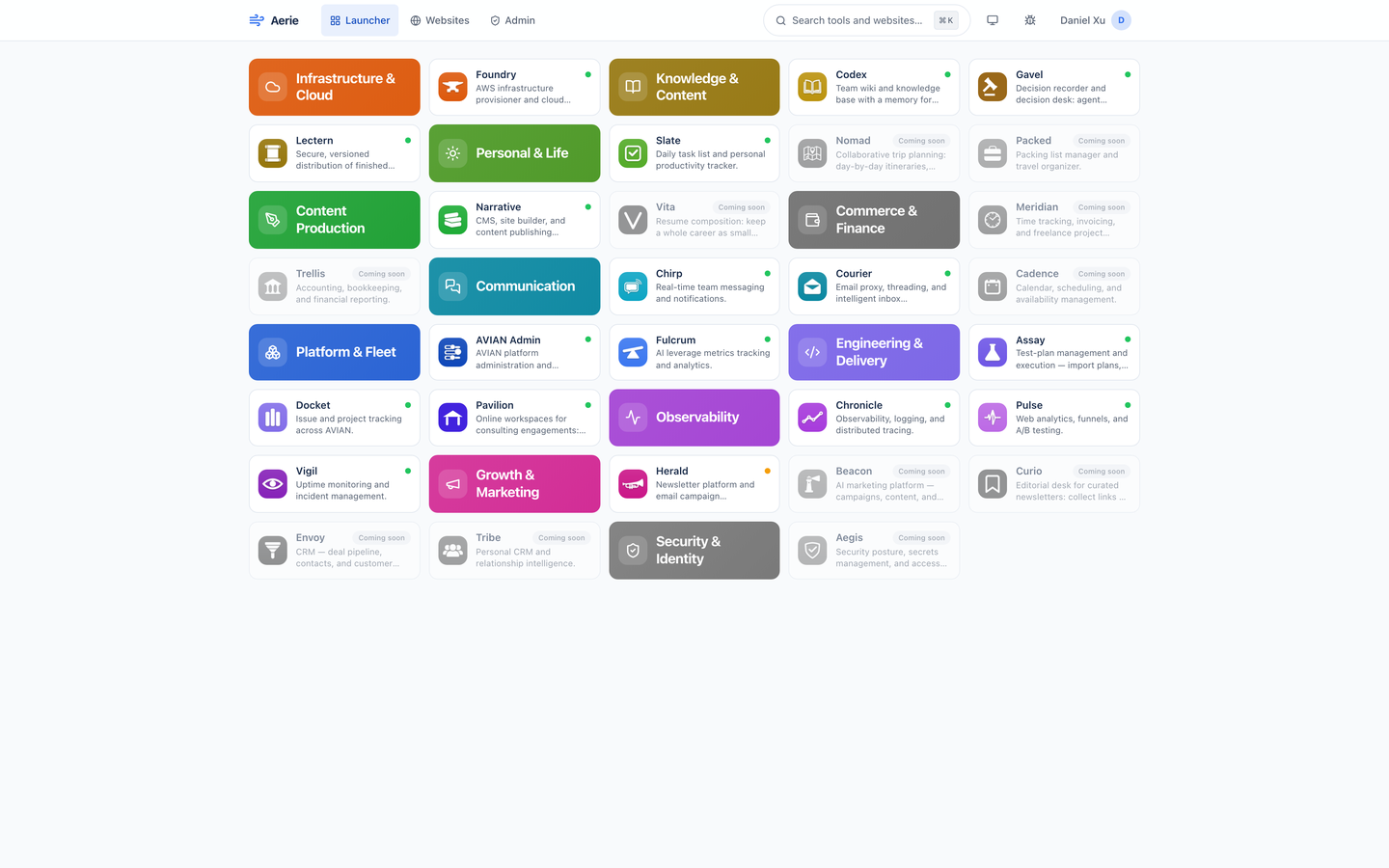
Eleven categories, in their own colors, alphabetical inside each.
The launcher is one grid. Each category is a title tile in the colors of its tools' icons, followed by its tools, and a category's title shares a row with the next category rather than leaving a gap. Tiles are compact on purpose so the whole fleet fits one screen.
A live tile opens its tool in a new tab and records the launch for your Recent row. A coming-soon tile is grayed out and badged, announces itself as disabled, and does nothing when pressed.
Each live tile carries a health dot read from Vigil: green is healthy, amber degraded, red unreachable, and gray means Vigil has nothing on it. Aerie asks Vigil once per minute for the whole fleet, not once per tile, and if Vigil cannot be reached the last answer stays up, marked stale.
What you see depends on who you are. A person sees the tools an admin has granted them, and an admin sees every active tool. The screen here is an admin's.
The command bar
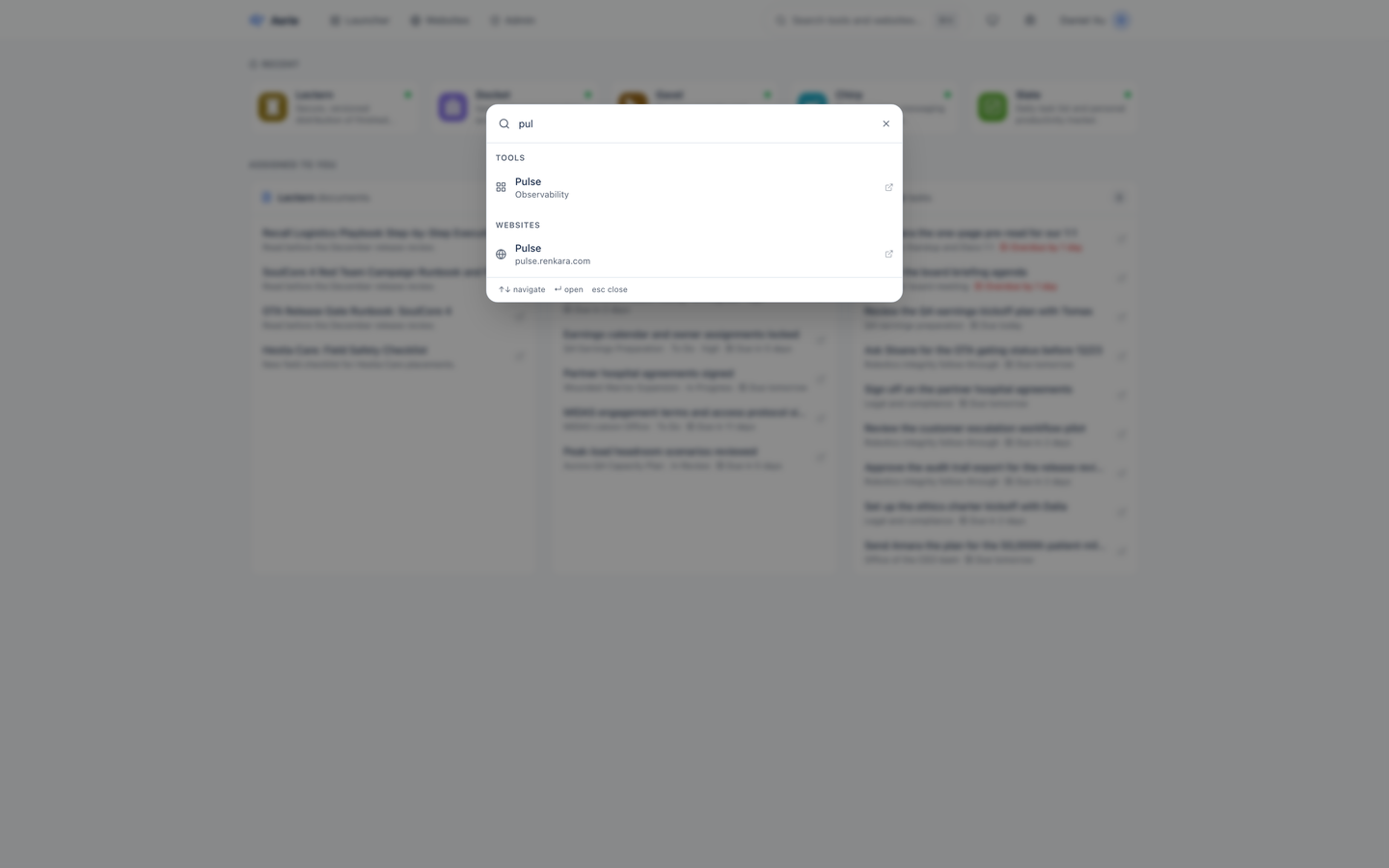
Cmd+K, or Ctrl+K, from any page.
The search button in the header opens the same bar. Type part of a tool's or website's name, and results appear under Tools and Websites, six at most in each. A name that starts with what you typed ranks first, then a name that contains it, then a description that does.
Arrow Down and Arrow Up move through the results across both groups, Enter opens the highlighted one in a new tab, and Escape closes the bar. Coming-soon tools are not offered, since there is nothing to open. A tool you open this way lands in your Recent row; a website with only a staging site opens it with its access key already applied.
Questions about this tool?
Write to Renkara Media Group and a person will answer.