
Decide, person by person, which tiles show up.
Aerie's admin screen answers one question: which tools should this person see? People start with nothing. An admin turns tools on, one switch at a time or all at once, and the change is live as soon as the switch moves. This is a launcher gate, and the page below says plainly what that does and does not cover.

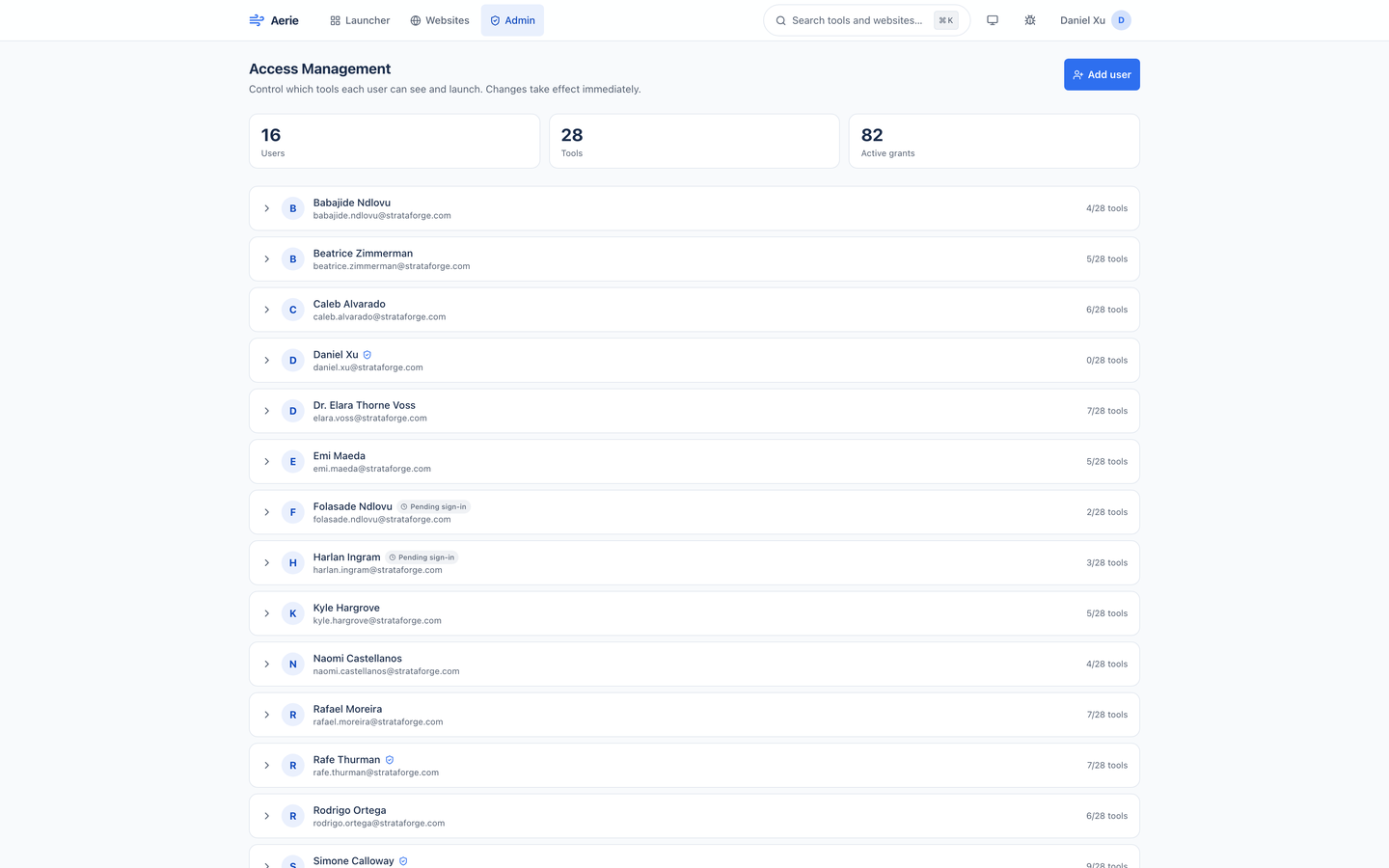
Access Management
Everyone who has signed in, or been added, on one list.
The screen opens with three counts (people, tools, and active grants) and then one row for every person: their name and email, a shield if they are an admin, a Pending sign-in tag if they have not arrived yet, and how many tools they can open out of the total. Click a row and it opens into that person's panel.
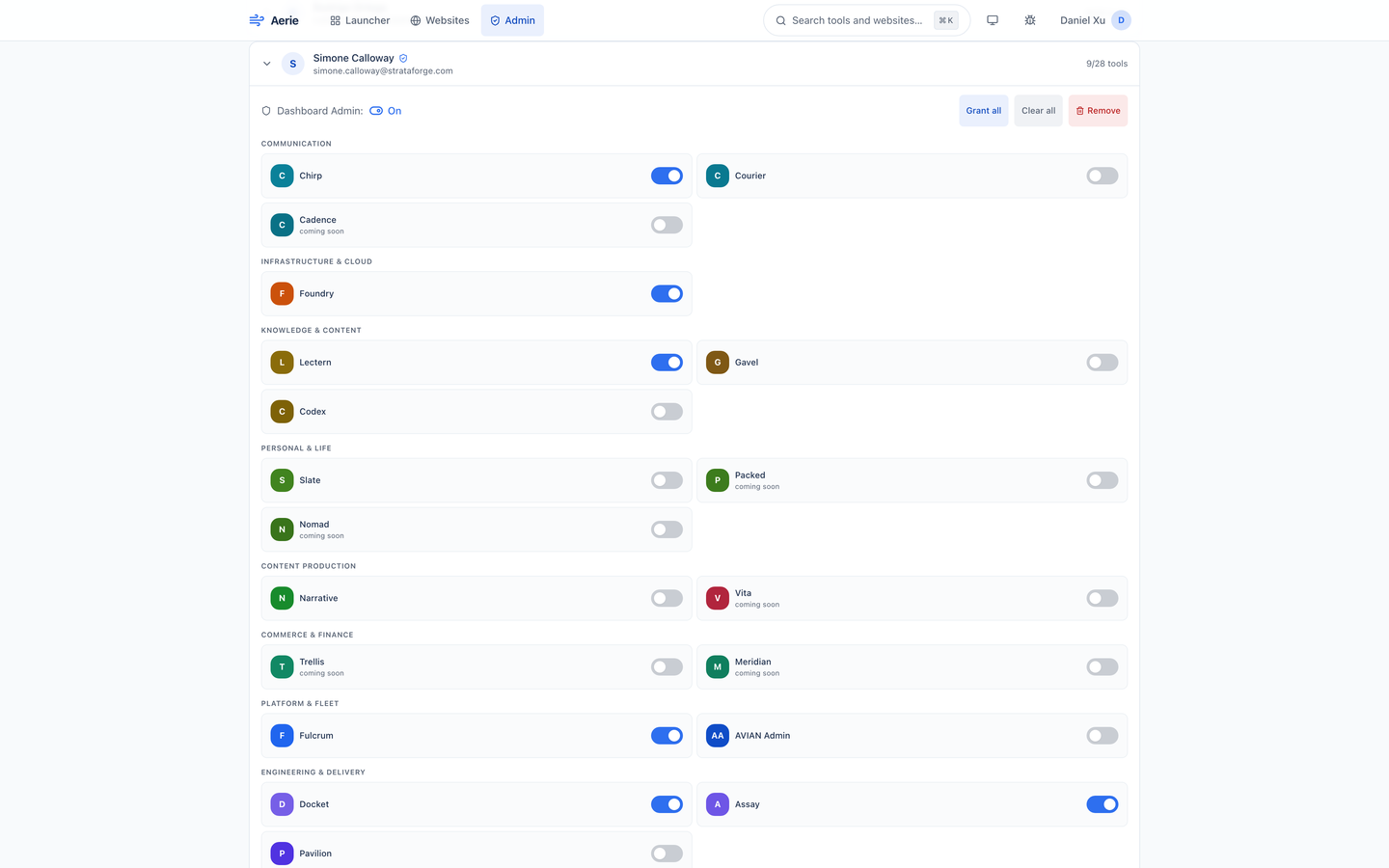
The panel has a Dashboard Admin switch, Grant all, Clear all, and Remove, and under them a switch for every tool, grouped by category. Coming-soon tools can be switched on ahead of their launch; they show as coming soon until then. A switch changes a single grant and takes effect immediately.
Adding people before they sign in
Add
An admin enters an email and a name, and may switch on admin. Aerie creates the row and marks it Pending sign-in.
Invite
Aerie asks the fleet's sign-in service to create the identity and email an invitation with a set-password link. The reply says whether the email went out; if the sign-in service is unreachable, the row is still created.
Grant
The admin switches on tools straight away. The person does not have to have signed in first.
Arrive
On their first sign-in, the person takes over the pending row with every grant and the admin flag already in place.
Emails when access changes
A new grant, or a revoke, emails the person through the fleet's notification service: the tools that changed, each with its icon and a one-line description, who made the change, and a button to open the launcher. Grant all and Clear all send one email covering the batch, not one per tool. Changing a switch to what it already was sends nothing.
The email is best effort. If the notification service is unset or down, the grant still happens and the failure is only logged.
What this gate is, and is not
Aerie controls which tiles a person sees and can click. It does not enforce access at the tool: every tool still admits any signed-in Renkara account, and a person who knows a tool's address can open it. Real control at each tool is on the Coming list. The access level stored today is view; a per-tool admin level is reserved in the schema and not enforced.
The default is none. A person with no grants sees an empty launcher, and revoking a grant deletes its row, so "revoked" and "never granted" are the same state. Each grant records who made it and when.
| Admin | A person is an admin when their token carries a role of admin, owner, or superadmin, or an admin claim, or when their stored admin flag is on. Emails on a bootstrap list get the flag when they first appear. |
|---|---|
| Not an admin | A static API key never makes a machine an admin. Admin tools and the Admin screen refuse everyone else. |
| Remove | Deletes the person and every one of their grants. The sign-in account is not touched. |
Questions about this tool?
Write to Renkara Media Group and a person will answer.